1
/
of
1
Shape Flashcards – Digital Download
Shape Flashcards – Digital Download
Regular price
$5.99 USD
Regular price
Sale price
$5.99 USD
Shipping calculated at checkout.
Quantity
Couldn't load pickup availability
Help Your Child Learn Shapes the Fun Way! 🎉
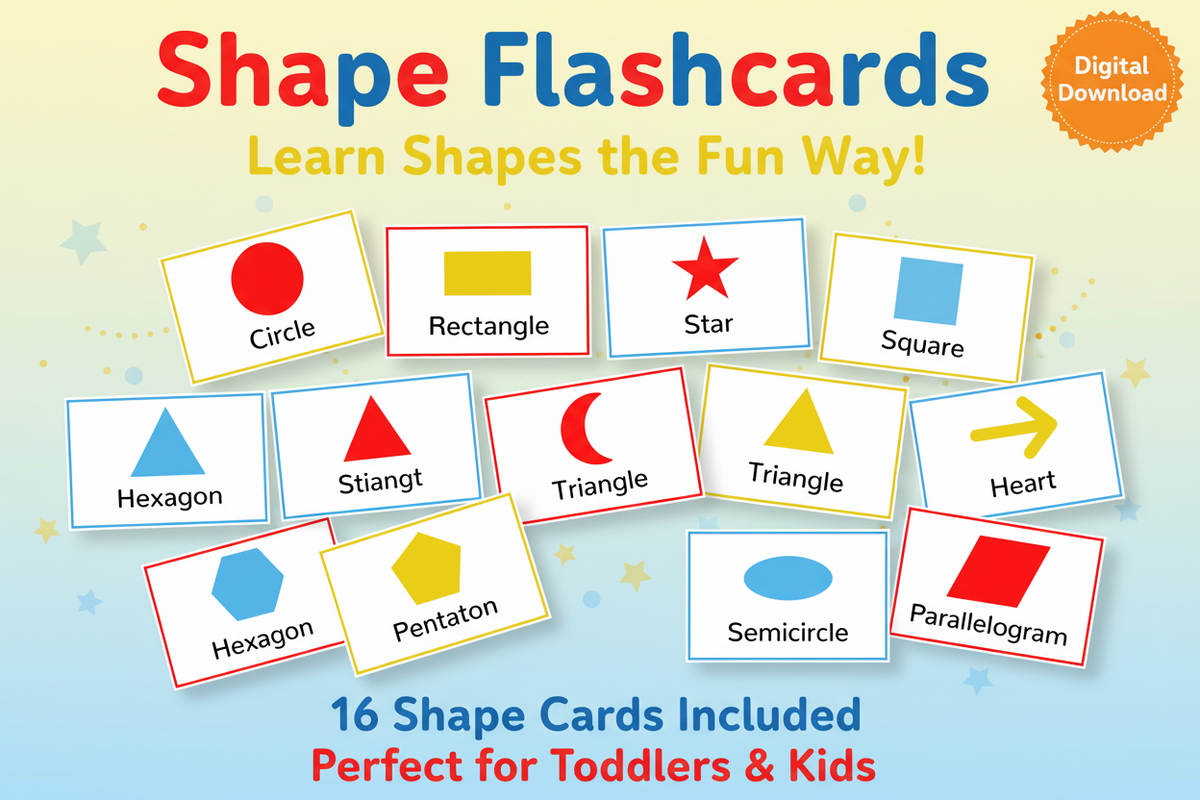
Introduce your little one to the world of shapes with these bright, bold, and engaging Shape Flashcards! Designed for toddlers and early learners, each card features a colorful shape illustration and its name — making learning visual, simple, and fun.
What's Included:
- 16 Printable Shape Flashcards
- Shapes included: Circle, Square, Triangle, Rectangle, Star, Heart, Diamond, Oval, Hexagon, Pentagon, Trapezoid, Semicircle, Crescent, Parallelogram, Cross & Arrow
- Bold, child-friendly colors: Red, Blue & Yellow
- Clean white background for easy printing
How It Works:
- ✅ Purchase & instantly download your PDF
- ✅ Print at home or at your local print shop
- ✅ Cut out and use as flashcards, wall art, or learning games
Perfect for: Toddlers ages 2–5, preschool classrooms, homeschool learning, and early childhood development.
This is a digital download — no physical product will be shipped.
How to print your Tethered Oasis download
- Open your download. If it arrives in a ZIP folder, extract the files first, then open the printable PDF in a PDF reader.
- Match the paper size. Check the PDF's page size or the product's file details. Choose A4 (210 × 297 mm) for an A4 file or US Letter (8.5 × 11 inches) for a Letter file, and load that same paper size in your printer. If both versions are included, choose the one that matches your paper. Not every download includes both sizes. If the size is unclear, contact support@tetheredoasis.com before printing.
- Keep the intended size. Select 100% scale or Actual Size. Turn off Fit to Page, Fit, Shrink to Fit, and any automatic scaling. Match the page orientation shown in the PDF. If the preview cuts off content, check the paper size and printer margins rather than changing the scale; a print shop may be able to help.
- Make a test print. Print one page first. Check the size, edges, readability, and colors before printing the rest. Use paper or cardstock supported by your printer.
- For double-sided flashcards, check alignment before cutting. Only print double-sided when matching front and back pages are included. Follow any file-specific page order and flip-edge directions. Print one front/back sheet at 100% on both sides, then hold it up to the light to check that the card positions line up and the backs are the right way up. If the backs are upside down, switch between long-edge and short-edge flipping and test again. For manual double-sided printing, mark a scrap sheet to check how your printer feeds and turns the paper. Small alignment shifts can occur; if the fronts and backs do not line up, print single-sided or ask a print shop for help. Cut only after checking alignment.
File names, included formats, page counts, and any product-specific printing directions are listed separately in each product's details or supplied files. This guide does not mean that every download includes both paper sizes or double-sided cards.
Share