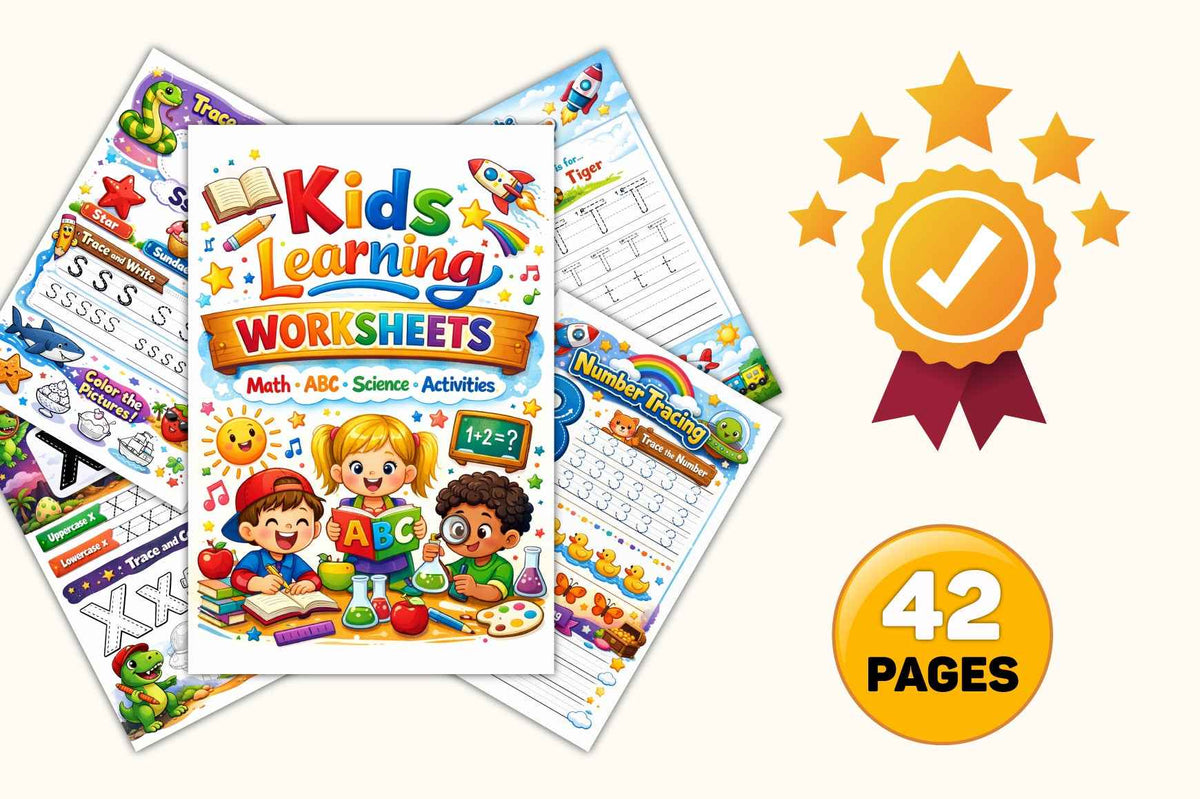
Kids Learning Worksheets — 42-Page Digital Printable | Math, ABC, Science & Activities
Kids Learning Worksheets — 42-Page Digital Printable | Math, ABC, Science & Activities
Couldn't load pickup availability
Everything Your Child Needs to Learn & Grow 📚🔬➕
From letters to numbers, science to creativity — this jam-packed 42-page digital worksheet collection covers all the key subjects early learners need in one colorful, fun download.
Designed to make learning feel like playtime, these worksheets are perfect for home, school, or anywhere kids want to explore and grow.
What's Inside
- ✅ Alphabet tracing (A–Z) — uppercase and lowercase letter practice with fun illustrations for every letter
- ✅ Number tracing — trace and practice numbers with colorful guides
- ✅ Simple math pages — addition and basic problem-solving activities
- ✅ Science activities — fun, age-appropriate science discovery pages
- ✅ Trace and write pages — build fine motor skills and handwriting confidence
- ✅ Color the pictures — creative coloring pages tied to learning themes
- ✅ Find & color activities — spot and color letters and numbers on the page
- ✅ 42 colorful pages — enough variety to keep kids engaged for weeks
- ✅ Instant digital download — print at home as many times as you need
How It Works
After purchase you'll receive an instant download link. Print on standard letter-size paper at home or at your local print shop. No subscription, no app — just wholesome, screen-free learning ready in minutes.
Perfect for: Ages 4–8, preschool and kindergarten readiness, homeschool families, classroom supplements, and keeping curious kids busy!
How to print your Tethered Oasis download
- Open your download. If it arrives in a ZIP folder, extract the files first, then open the printable PDF in a PDF reader.
- Match the paper size. Check the PDF's page size or the product's file details. Choose A4 (210 × 297 mm) for an A4 file or US Letter (8.5 × 11 inches) for a Letter file, and load that same paper size in your printer. If both versions are included, choose the one that matches your paper. Not every download includes both sizes. If the size is unclear, contact support@tetheredoasis.com before printing.
- Keep the intended size. Select 100% scale or Actual Size. Turn off Fit to Page, Fit, Shrink to Fit, and any automatic scaling. Match the page orientation shown in the PDF. If the preview cuts off content, check the paper size and printer margins rather than changing the scale; a print shop may be able to help.
- Make a test print. Print one page first. Check the size, edges, readability, and colors before printing the rest. Use paper or cardstock supported by your printer.
- For double-sided flashcards, check alignment before cutting. Only print double-sided when matching front and back pages are included. Follow any file-specific page order and flip-edge directions. Print one front/back sheet at 100% on both sides, then hold it up to the light to check that the card positions line up and the backs are the right way up. If the backs are upside down, switch between long-edge and short-edge flipping and test again. For manual double-sided printing, mark a scrap sheet to check how your printer feeds and turns the paper. Small alignment shifts can occur; if the fronts and backs do not line up, print single-sided or ask a print shop for help. Cut only after checking alignment.
File names, included formats, page counts, and any product-specific printing directions are listed separately in each product's details or supplied files. This guide does not mean that every download includes both paper sizes or double-sided cards.
Share