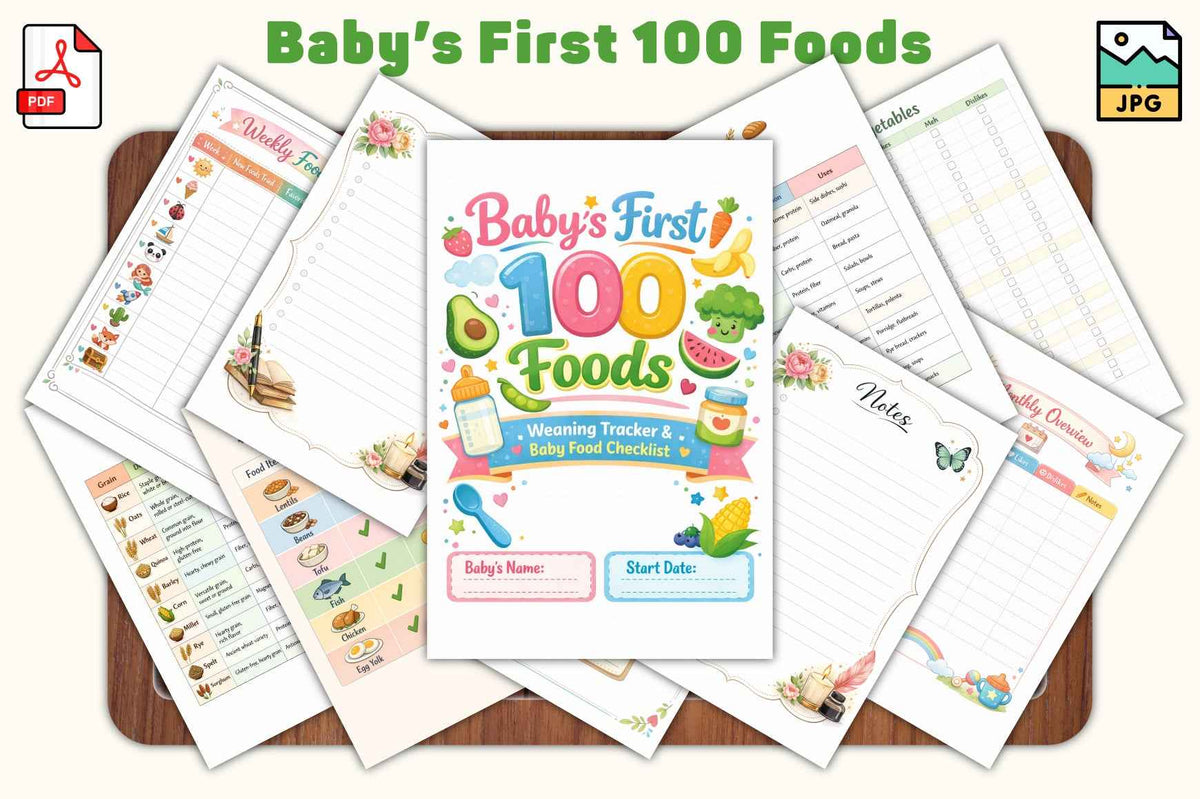
Baby's First Food Tracker — 20-Page Digital Printable
Baby's First Food Tracker — 20-Page Digital Printable
Couldn't load pickup availability
Every First Bite Is a Big Moment 🍓🥦
Introducing your baby to solid foods is one of the most exciting — and nerve-wracking — milestones of new parenthood. This beautifully designed 20-page digital tracker helps you log every new food, note reactions, track allergies, and discover what fruits and veggies your little one actually loves.
Because those tiny expressions of delight (or disgust 😄) deserve to be remembered.
What's Inside
- 🍎 New food introduction pages — log each food, the date introduced, and your baby's reaction
- 🚨 Allergy tracker — record any sensitivities or reactions with space for notes
- 🥕 Fruits & veggies preference pages — track what your baby loves, tolerates, or refuses
- 📅 Weekly feeding logs — stay organized as your baby's diet grows
- 🌈 20 colorful, cheerful pages — fun to fill in, easy to read back
- ⬇️ Instant digital download — print at home as many times as you need
How It Works
After purchase, you'll receive an instant download link. Print at home on standard letter-size paper or take it to a print shop for a keepsake-quality finish. No app, no subscription — just beautiful pages to document this precious stage.
Perfect for: New parents, baby showers, pediatric nutrition tracking, and anyone navigating the exciting world of baby-led weaning or purees!
How to print your Tethered Oasis download
- Open your download. If it arrives in a ZIP folder, extract the files first, then open the printable PDF in a PDF reader.
- Match the paper size. Check the PDF's page size or the product's file details. Choose A4 (210 × 297 mm) for an A4 file or US Letter (8.5 × 11 inches) for a Letter file, and load that same paper size in your printer. If both versions are included, choose the one that matches your paper. Not every download includes both sizes. If the size is unclear, contact support@tetheredoasis.com before printing.
- Keep the intended size. Select 100% scale or Actual Size. Turn off Fit to Page, Fit, Shrink to Fit, and any automatic scaling. Match the page orientation shown in the PDF. If the preview cuts off content, check the paper size and printer margins rather than changing the scale; a print shop may be able to help.
- Make a test print. Print one page first. Check the size, edges, readability, and colors before printing the rest. Use paper or cardstock supported by your printer.
- For double-sided flashcards, check alignment before cutting. Only print double-sided when matching front and back pages are included. Follow any file-specific page order and flip-edge directions. Print one front/back sheet at 100% on both sides, then hold it up to the light to check that the card positions line up and the backs are the right way up. If the backs are upside down, switch between long-edge and short-edge flipping and test again. For manual double-sided printing, mark a scrap sheet to check how your printer feeds and turns the paper. Small alignment shifts can occur; if the fronts and backs do not line up, print single-sided or ask a print shop for help. Cut only after checking alignment.
File names, included formats, page counts, and any product-specific printing directions are listed separately in each product's details or supplied files. This guide does not mean that every download includes both paper sizes or double-sided cards.
Share